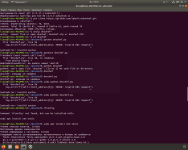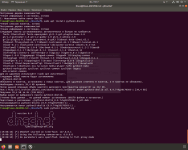

Решение

Before you can start using DNSChef, you must configure your machine to use a DNS nameserver with the tool running on it. You have several options based on the operating system you are going to use:
* **Linux** - Edit */etc/resolv.conf* to include a line on the very top with your traffic analysis host (e.g add "nameserver 127.0.0.1" if you are running locally). Alternatively, you can add a DNS server address using tools such as Network Manager. Inside the Network Manager open IPv4 Settings, select *Automatic (DHCP) addresses only* or *Manual* from the *Method* drop down box and edit *DNS Servers* text box to include an IP address with DNSChef running.
Добавь в самое начало /etc/resolv.conf строку nameserver 127.0.0.1
Либо попробуй...
* **Linux** - Edit */etc/resolv.conf* to include a line on the very top with your traffic analysis host (e.g add "nameserver 127.0.0.1" if you are running locally). Alternatively, you can add a DNS server address using tools such as Network Manager. Inside the Network Manager open IPv4 Settings, select *Automatic (DHCP) addresses only* or *Manual* from the *Method* drop down box and edit *DNS Servers* text box to include an IP address with DNSChef running.
Добавь в самое начало /etc/resolv.conf строку nameserver 127.0.0.1
Либо попробуй...